
Changes at Google Maps

The good folks at Google Maps appear to have been busy. The UI for the zoom/pan control (GLargeMapControl) has been refreshed with a new skin. The process for selecting the position from which to view the neigborhood using the Street View feature is simplified – the draggable “person” is always present in the zoom control.
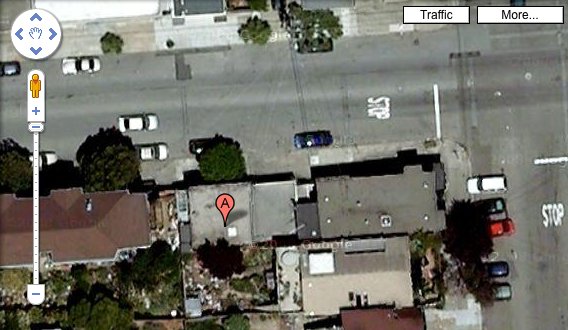
New Google Maps Interface

The entire Street View feature is now a Flash-based application, that takes over the map screen. Previously, the street panorama would be displayed in a Google Maps info window, and was implemented in DHTML.

The satellite imagery has also been replaced with higher-resolution pictures from the GeoEye Satellite, which was launched a couple of months ago. At least that’s the case in my neigborhood, and a couple of other spots I searched in California.

Even the Street View images have been updated – again, at least in my neigborhood. Check these out elizabethnelsonstudio .

Although the new zoom/pan control does not appear to be available to developers using the Google Maps API, the new satellite images are present by default. Hopefully this means that we’ll finally have a globally-consistent maximum zoom level!

The id Attribute in 4.1

One subtle thing that has changed in OpenLaszlo 4.1 is that you can no longer specify the id attribute when instantiating objects from script.

When instantiating a class from script, you can specify a dictionary of initial properties as the second argument to the constructor:

var v = new lz.view(canvas, {width: 300, height: 300, bgcolor: 0xff0000}); // 4.1

Prior to OpenLaszlo 4.1, the constructor shown above would have been LzView() instead of lz.view(). Also, prior to 4.1, you could have specified the id attribute in addition to the width, height, and bgcolor attributes, and then referenced your newly-created view by that id later in the application. e.g.

var v = new LzView(canvas, {id: "myNewView", width: 300, height: 300, bgcolor: 0xff0000}); // 4.0.12

Since the SWF9 does not allow global variables to be created on-the-fly, OpenLaszlo 4.1 will no longer allow you to do this either. For better or for worse.

Tab Completion in the Debugger

There’s a handy tab completion feature in the OpenLaszlo debugger now. It’s been around for a few months, but I’ve avoided using it mainly because the keyboard focus was a little flaky on my old Windows laptop.

It works just like a typical Unix (say bash) shell:

  1. Recompile your application with the debugger. e.g. browse to the Hello, World! example with ?debug=true.
  2. Click on the Debugger text input field, and begin typing. e.g. can
  3. Hit tab. The Debugger should complete the word “canvas”.
  4. Now add a dot, and hit tab once. e.g. canvas.
  5. If there are too many possible matches, you’ll see output like the following in the Debugger:
    INFO: 456 possibilities: press ‘\t’ again to see them all
  6. Hit tab again, and you should see a long list of possible properties on canvas:
    INFO: Possible completions: $cfn $isstate $lzc$bind_id $lzc$bind_name …
  7. Now add “sub” to the text input field. It should read canvas.sub
  8. Hit tab. You should see two possible matches for canvas.sub:
    Possible completions: subnodes subviews
  9. Add a “v”, so your text input field now says canvas.subv
  10. Hit tab. The debugger should complete that to canvas.subviews, since its the only possible match. Now hit the enter key, and the Debugger will inspect canvas.subviews.

Enjoy!